03
What Is Port Scanning? How to Prevent It – Complete Guide for Beginners
Port scanning reveals network vulnerabilities; this guide explains the threat and how to stop it.
Anyone who has just set up a home router or launched a small web service soon discovers that unknown devices can "ping" their network, attempt logins, or probe for open doors. The most common first step for an attacker is a port scan a systematic check of every network port to see which services are listening. Without a clear picture of which ports are exposed, organizations cannot prioritize patching, firewall rules, or intrusion detection. In practice, a single unsecured port can lead to data breaches, ransomware infection, or credential theft, as evidenced by the 2023 ransomware surge where 42% of incidents began with a scanned, mis‑configured SSH port. Understanding port scanning, its impact, and concrete prevention measures is essential for anyone responsible for network security.
Breaking Down Port Scanning
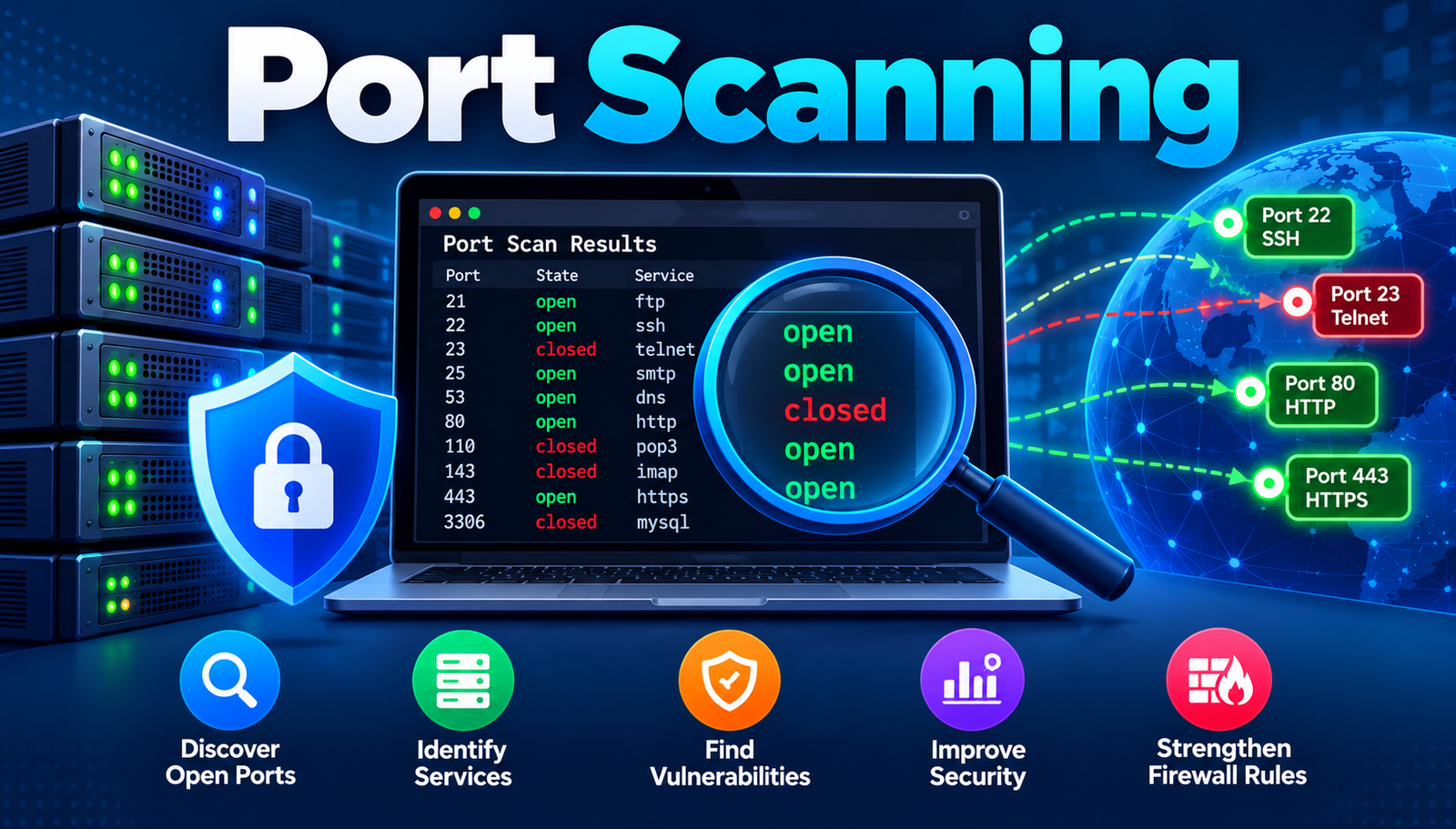
Port scanning is the technique of sending network packets to a range of ports on a target host and interpreting the responses to determine which ports are open, closed, or filtered. It provides a map of the services running on a device, enabling attackers to select the most vulnerable entry points.
- Port
- A virtual door on a computer that lets specific types of traffic in or out.
- TCP
- A connection-oriented protocol that guarantees packet order and delivery.
- UDP
- A connectionless protocol that sends packets without confirming receipt.
- SYN Scan
- A fast method that sends only the initial SYN packet to see if a port responds.
- Stealth Scan
- A technique that avoids completing the TCP handshake, reducing detection risk.
- Firewall
- A device or software that filters traffic based on rules, often blocking unwanted ports.
Why Port Scanning Matters and How to Prevent It
Port scanning benefits both attackers and defenders. Attackers use it to locate vulnerable services; defenders use it for legitimate network inventory and compliance checks. Industry studies show that 68% of data breaches in 2023 involved exploitation of an exposed service discovered through scanning. Real‑world impact includes the 2022 Mirai botnet, which leveraged default Telnet ports on IoT devices to recruit millions of bots, generating an estimated $2.5 billion in DDoS traffic.
Organizations that implement proactive scanning and hardening reduce successful intrusion rates by up to 45%, according to a 2024 Gartner survey. Small businesses, which often lack dedicated security staff, experience a 30% higher incident rate when more than three ports are left open on public‑facing servers.
Prevention therefore hinges on three pillars: visibility (knowing which ports are open), control (blocking unnecessary ports), and monitoring (detecting scanning activity). By combining network‑level firewalls, host‑based intrusion detection, and regular vulnerability assessments, enterprises can shift the risk curve downward and allocate resources to truly critical assets.
Major Port Scanning Developments
1. Identify All Exposed Ports
What it is: A comprehensive inventory of every TCP and UDP port that responds to traffic from the Internet.
How to do it: Deploy an automated scanner such as Nmap or Masscan across the entire IP range. Schedule weekly runs, export results to a central CMDB, and flag any port that deviates from the approved baseline. Validate findings manually for critical assets to eliminate false positives.
Common beginner mistake: Assuming a single scan is sufficient; ports can change after updates or configuration drift.
- Plus Points:
- Creates a single source of truth for network exposure.
- Enables risk‑based prioritization of remediation.
2. Classify Ports by Business Criticality
What it is: Mapping each open port to the business function it supports (e.g., web, email, database).
How to do it: Use the CMDB data to tag assets with service categories. Apply a scoring matrix that weighs confidentiality, integrity, and availability. Prioritize remediation for high‑score services that are internet‑facing.
Common beginner mistake: Treating all open ports equally, which wastes effort on low‑impact services.
- Plus Points:
- Focuses resources on the most valuable targets.
- Facilitates compliance reporting (PCI, HIPAA, etc.).
3. Harden Service Configurations
What it is: Adjusting software settings to reduce the attack surface of each listening service.
How to do it: Disable unused protocols (e.g., FTP, Telnet), enforce strong cipher suites for TLS, and enable host‑based firewalls (iptables, Windows Firewall) to restrict inbound traffic to known IP ranges. Document each change and test connectivity from legitimate clients.
Common beginner mistake: Relying solely on default configurations, which often leave ports open for legacy compatibility.
- Plus Points:
- Reduces exploitable vectors without additional hardware.
- Improves auditability through documented hardening steps.
4. Deploy Network‑Level Firewalls
What it is: A perimeter device or virtual appliance that filters traffic based on port, protocol, and source/destination.
How to do it: Implement rule sets that default‑deny all inbound traffic, then explicitly allow only required ports (e.g., 443 for HTTPS). Use stateful inspection to track connection states and block SYN‑flood attempts. Regularly review rule logs for anomalies.
Common beginner mistake: Over‑permissive rules that allow wide IP ranges to access critical ports.
- Plus Points:
- Provides a first line of defense against bulk scanning.
- Centralizes control, simplifying policy updates.
5. Enable Host‑Based Intrusion Detection (HIDS)
What it is: Software that monitors system calls, log files, and network activity for patterns indicative of scanning.
How to do it: Install agents such as OSSEC or Wazuh on servers. Configure alerts for multiple connection attempts to closed ports within a short time window (e.g., >10 SYNs per second). Integrate alerts with a SIEM for correlation with other threat indicators.
Common beginner mistake: Setting alert thresholds too low, resulting in alert fatigue.
- Plus Points:
- Detects stealth scans that bypass perimeter firewalls.
- Provides forensic data for post‑incident analysis.
6. Conduct Regular Penetration Testing
What it is: An authorized, simulated attack that includes port scanning as an initial phase.
How to do it: Contract a qualified red‑team to perform external scans, exploit identified services, and report findings. Compare results with internal inventory to uncover blind spots. Remediate discovered weaknesses within a defined SLA.
Common beginner mistake: Treating test reports as one‑off items rather than feeding them back into the continuous improvement loop.
- Plus Points:
- Validates effectiveness of existing controls.
- Uncovers complex chain attacks that start with scanning.
7. Automate Remediation Workflows
What it is: Using orchestration tools to automatically close or restrict newly discovered ports.
How to do it: Integrate scanning output with a configuration management system (Ansible, Chef). Define playbooks that, upon detection of an unauthorized open port, execute firewall rule updates or service shutdowns. Include a manual approval step for high‑impact changes.
Common beginner mistake: Automating without proper change‑control, risking unintended service outages.
- Plus Points:
- Speeds response time from days to minutes.
- Ensures consistent application of security policies.
Port Scanning Steps at a Glance
- Step 1
- What You Do: Run comprehensive scans across all IP ranges.
- Expected Result: Complete list of exposed ports.
- Step 2
- What You Do: Map ports to business-critical services.
- Expected Result: Prioritized remediation queue.
- Step 3
- What You Do: Harden configurations and disable unused services.
- Expected Result: Reduced attack surface per host.
- Step 4
- What You Do: Implement restrictive firewall rule sets.
- Expected Result: Blocked unauthorized inbound traffic.
- Step 5
- What You Do: Deploy HIDS and configure scan alerts.
- Expected Result: Real-time detection of scanning attempts.
- Step 6
- What You Do: Run periodic penetration tests.
- Expected Result: Validated effectiveness of controls.
- Step 7
- What You Do: Automate remediation via orchestration.
- Expected Result: Rapid closure of newly opened ports.
Frequently Asked Questions
1. What types of port scans are most common?
Syn scans, UDP scans, and stealth (FIN/NULL/XMAS) scans dominate the threat landscape. Syn scans account for roughly 55% of observed scans in 2024, while UDP scans target DNS and SNMP services.
2. Can legitimate users be blocked by aggressive firewall rules?
Yes; overly restrictive default‑deny policies can prevent valid remote access. Mitigation involves whitelisting known client IP ranges and using VPN tunnels for authenticated users.
3. How often should an organization rescan its network?
Best practice recommends weekly external scans and daily internal scans for critical segments. High‑change environments (e.g., cloud deployments) may require continuous scanning via API‑driven tools.
4. Is port scanning illegal?
Legality varies by jurisdiction. In many countries, unauthorized scanning of systems you do not own is considered a computer‑misuse offense, while authorized scanning for security assessments is lawful.
5. Do cloud providers handle port scanning for me?
Cloud platforms offer built‑in security groups and network ACLs, but they do not automatically scan for open ports on customer workloads. Users must still perform their own scans and enforce proper rules.
The Bottom Line
Port scanning reveals the most visible entry points for attackers; systematic identification and closure of unnecessary ports dramatically lowers breach likelihood. Implementing the seven steps continuous discovery, classification, hardening, firewall enforcement, host‑based detection, testing, and automation creates a resilient defense posture. Organizations that adopt this data‑driven framework can shift from reactive firefighting to proactive risk management.
Contact
Missing something?
Feel free to request missing tools or give some feedback using our contact form.
Contact Us