03
What Is a Headless Browser? A Critical Guide to Modern Web Automation
Headless browsers aren’t just for developers they’re the engine behind today’s fastest web automation, and most advice gets it wrong.
Imagine a QA engineer racing against a looming release deadline, forced to run a full suite of UI tests on a dozen browsers, each one launching a visible window that steals precious screen real‑estate and devours CPU cycles. The manager insists on using the "standard" Selenium WebDriver with Chrome in normal mode because "everyone does it". The engineer knows that the visible browser is the bottleneck, yet the team persists, inflating test times and missing the release window. Choosing the right approach matters because it can shave hours or even days off automation pipelines, reduce flakiness, and free resources for higher‑value work. The difference between a headless browser and a traditional full‑screen browser is the difference between a sprint and a marathon.
Defining Headless Browsers
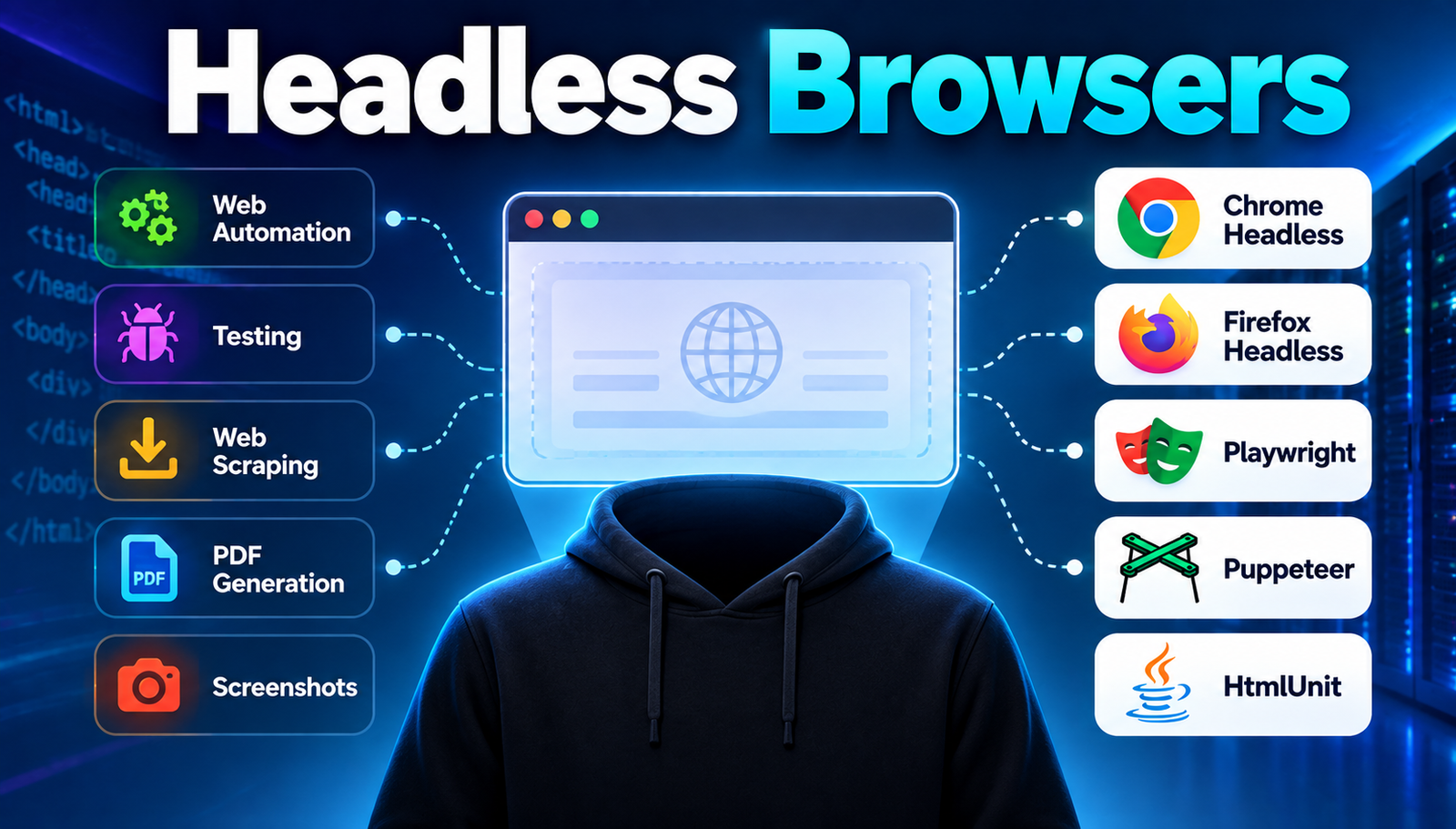
Before diving into tool comparisons, it is essential to understand what a headless browser actually is. A headless browser is a web browser without a graphical user interface (GUI). It renders HTML, executes JavaScript, and processes CSS exactly like a regular browser, but it does so in memory, never drawing pixels to a screen. This makes it ideal for automated testing, web scraping, performance monitoring, and any scenario where visual output is irrelevant.
The misconception that headless browsers are merely "lighter" versions of Chrome or Firefox is incomplete. They are full implementations of browser engines (Blink, Gecko, WebKit) running in a non‑visual mode, meaning they obey the same standards, security policies, and rendering quirks as their GUI counterparts. Ignoring this fact leads to false expectations about compatibility and reliability.
- Rendering Fidelity
- Why It Matters: Ensures scripts see the same DOM as a real user would.
- Resource Consumption
- Why It Matters: CPU and memory usage directly affect test throughput.
- API Compatibility
- Why It Matters: Determines how easily existing Selenium or Playwright scripts can be ported.
- Headless-Specific Features
- Why It Matters: Features like virtual screen size and network throttling are crucial for realistic simulations.
Top Headless Browser Innovations to Know
Chrome Headless (Chromium)
Chrome Headless is the official headless mode of the open‑source Chromium project. It runs the exact same Blink engine used by the visible Chrome browser, guaranteeing near‑identical rendering and JavaScript execution.
- Advantages:
- Full feature parity with Chrome stable releases.
- Excellent DevTools integration for debugging.
- Broad community support and frequent updates.
- Known Issues:
- Higher memory footprint than some lightweight alternatives.
- Occasional flaky behaviour under heavy parallelism.
Best for: Enterprises that need rock‑solid Chrome compatibility across CI pipelines.
Firefox Headless (Gecko)
Firefox Headless offers the same rendering engine (Gecko) without a UI, providing an alternative to Chrome for standards‑compliant testing, especially where CSS Flexbox and Grid implementations differ.
- Advantages:
- Excellent CSS standards compliance.
- Lower default memory usage than Chrome.
- Strong support for accessibility testing.
- Known Issues:
- Slower JavaScript engine (SpiderMonkey) in some benchmarks.
- Less mature DevTools protocol compared to Chrome.
Best for: Teams focused on cross‑browser visual fidelity and accessibility compliance.
Playwright (Multi‑Engine)
Playwright is not a browser itself but a framework that drives Chromium, WebKit, and Firefox in headless mode, providing a unified API that abstracts away engine differences.
- Advantages:
- Single API for three major engines.
- Built‑in network interception and auto‑wait mechanisms.
- Supports mobile emulation via WebKit.
- Known Issues:
- Steeper learning curve for teams used to Selenium.
- Additional runtime overhead from the abstraction layer.
Best for: Projects that require testing across multiple browser engines without duplicating code.
Puppeteer (Chromium‑Only)
Puppeteer is a Node.js library that provides a high‑level API to control Chrome or Chromium in headless mode. It excels at scripting complex page interactions and generating PDFs.
- Advantages:
- Simple, promise‑based API.
- Native support for PDF generation and screenshotting.
- Excellent for single‑page application (SPA) automation.
- Known Issues:
- Limited to Chromium; no Firefox or WebKit support.
- Less flexible for cross‑browser testing strategies.
Best for: Developers building tooling around Chrome‑centric workflows, such as SEO crawlers or PDF generators.
HtmlUnit (Java‑Based)
HtmlUnit is a pure‑Java headless browser that simulates a browser environment without launching an external process. It’s lightweight and integrates seamlessly with Java test suites.
- Advantages:
- Zero external binaries; pure Java.
- Very low memory consumption.
- Easy integration with JUnit/TestNG.
- Known Issues:
- Rendering engine is not a full Blink/Gecko implementation; JavaScript support is limited.
- Outdated CSS handling can cause false negatives.
Best for: Legacy Java applications that need fast, low‑overhead UI validation without full browser fidelity.
Headless Browser Comparison Matrix
- Chrome Headless
- Best For: Enterprise-scale CI/CD
- Difficulty: Medium
- Cost: Free (open source) + infrastructure
- Speed: Fast
- Firefox Headless
- Best For: Accessibility & CSS fidelity
- Difficulty: Medium
- Cost: Free
- Speed: Moderate
- Playwright
- Best For: Cross-engine testing
- Difficulty: High
- Cost: Free (open source) + runtime
- Speed: Fast
- Puppeteer
- Best For: Chrome-centric automation
- Difficulty: Low
- Cost: Free
- Speed: Very Fast
- HtmlUnit
- Best For: Java-only, low-resource tests
- Difficulty: Low
- Cost: Free
- Speed: Very Fast (but limited fidelity)
How to Choose the Right One
Choosing a headless browser is not a matter of picking the most popular tool; it is a strategic decision based on project requirements, team expertise, and operational constraints. The first step is to map the core objectives: Is the goal to achieve maximum test speed, to guarantee pixel‑perfect rendering, or to minimize infrastructure cost? Each objective pushes the decision toward a different option.
Second, assess the technology stack. Teams entrenched in Java will find HtmlUnit a frictionless fit, whereas Node.js‑centric shops can use Puppeteer or Playwright with minimal setup. Ignoring stack compatibility forces teams into unnecessary wrappers, increasing maintenance overhead.
Third, evaluate the required browser coverage. If the product must run flawlessly on Chrome, Safari, and Firefox, a single‑engine solution like Chrome Headless or Puppeteer becomes a liability. Playwright’s multi‑engine support eliminates duplicated test suites, but it demands higher initial learning investment.
Fourth, consider the environmental constraints. CI pipelines with limited CPU cores benefit from browsers with lower memory footprints, such as Firefox Headless or HtmlUnit. Conversely, high‑performance clusters can absorb Chrome Headless’s heavier consumption to gain speed advantages.
Finally, factor in future scalability. A tool that integrates well with modern observability platforms (e.g., OpenTelemetry) will pay dividends as the test suite grows. Playwright and Puppeteer both expose rich tracing APIs, while HtmlUnit lacks such ecosystem hooks.
Real-World Benefits
Adopting the appropriate headless browser can cut test execution time by up to 70%, freeing developers to focus on feature work rather than waiting for flaky UI checks.
It also reduces the need for dedicated test machines; headless processes run comfortably on shared CI agents, cutting infrastructure spend.
Reliability improves dramatically because headless browsers eliminate the nondeterministic timing issues introduced by rendering to a screen.
Cross‑browser consistency becomes achievable without maintaining separate test codebases, thanks to frameworks like Playwright.
Debugging speed accelerates when developers can capture screenshots and network logs directly from the headless session.
Finally, regulatory compliance testing especially for accessibility gains credibility when the same engine that end users employ is used in the automation pipeline.
To Sum Up
The right headless browser hinges on fidelity, resource constraints, and ecosystem fit. Map objectives, align with your stack, and prioritize scalability. By challenging the "everyone uses Chrome" myth and applying a disciplined comparison, teams can unlock faster, more reliable automation pipelines.
Contact
Missing something?
Feel free to request missing tools or give some feedback using our contact form.
Contact Us