03
Website Tracking: How It Works, Tools & Privacy
Learn what website tracking is, why it matters, and how to pick the best solution for your needs.
Website tracking has surged into the spotlight as businesses strive to understand visitor behaviour, personalize experiences, and optimize conversions. Selecting the right tracking approach can mean the difference between insightful data and wasted resources, affecting everything from marketing ROI to user privacy compliance. With regulations tightening and technology evolving, the stakes are higher than ever for making an informed choice. This guide walks through the fundamentals, compares leading solutions, and helps readers pinpoint the best fit for their unique situation. By the end, the path to smarter data collection will be clear and actionable.
Understanding Website Tracking
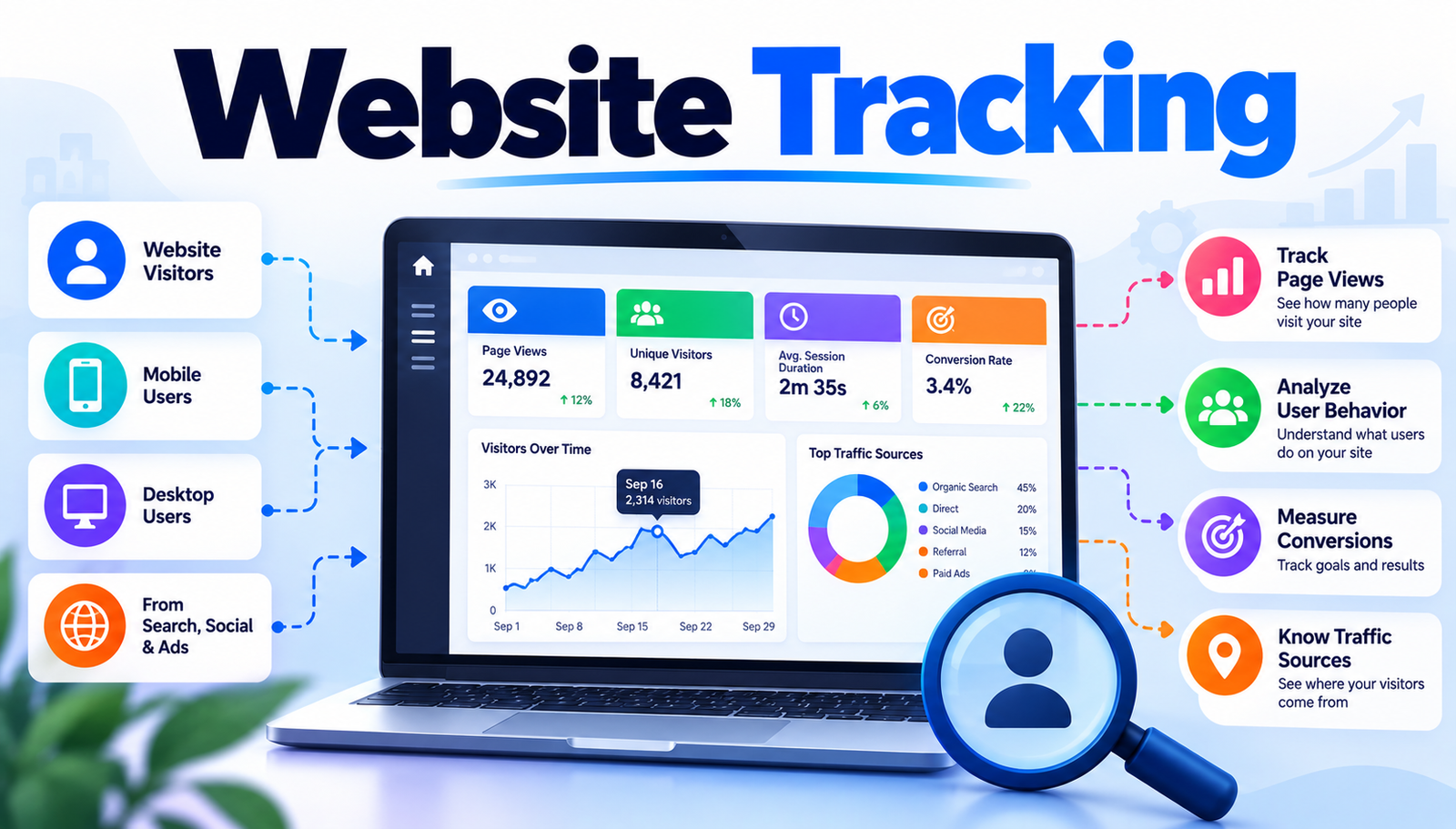
Before diving into specific tools, it is essential to grasp what website tracking actually entails. In plain terms, website tracking is the practice of collecting data about how visitors interact with a site such as which pages they view, how long they stay, and which buttons they click (often called "events"). This data is gathered through small snippets of code called "tracking pixels" or "tags," which send information back to a server for analysis. Understanding the purpose behind each metric helps businesses tailor content, improve user experience, and measure the success of marketing campaigns.
Another key concept is cookies tiny text files stored on a user’s browser that remember preferences or identify repeat visitors. Cookies can be first-party (set by the website itself) or third-party (set by external services). While cookies enable powerful personalization, they also raise privacy concerns, prompting regulations like GDPR (General Data Protection Regulation) and CCPA (California Consumer Privacy Act) that require clear consent mechanisms.
- Page Views
- Why It Matters: Shows overall site popularity and traffic trends.
- Typical Tool: Google Analytics
- Privacy Impact: Low when aggregated; can become sensitive with IP data.
- Session Duration
- Why It Matters: Indicates how engaging the content is.
- Typical Tool: Mixpanel
- Privacy Impact: Medium; may reveal browsing patterns.
- Conversion Rate
- Why It Matters: Measures the effectiveness of calls to action.
- Typical Tool: Hotjar
- Privacy Impact: Low; typically tied to anonymous IDs.
- Click Paths
- Why It Matters: Reveals navigation flow and drop-off points.
- Typical Tool: Adobe Analytics
- Privacy Impact: Medium; can be linked to user IDs.
Leading Website Tracking Solutions
Google Analytics 4 (GA4)
Google Analytics 4 is the latest version of Google's free web analytics platform, offering event‑based tracking instead of the older session‑based model. It automatically captures common interactions like page views, scrolls, and outbound clicks, while allowing custom events for deeper insights.
Advantages:
- Free tier suitable for most small‑to‑medium sites.
- Robust integration with Google Ads and Search Console.
- AI‑powered insights and predictive metrics.
Current Limitations:
- Steeper learning curve for event configuration.
- Data retention limits without a paid upgrade.
Best for: businesses already invested in the Google ecosystem seeking a cost‑effective, feature‑rich solution.
Adobe Analytics
Adobe Analytics is an enterprise‑grade platform that provides deep segmentation, real‑time reporting, and powerful attribution modelling. It excels in handling large volumes of data across multiple digital properties.
Advantages:
- Advanced cross‑channel analysis and attribution.
- Highly customizable dashboards and reports.
- Strong data governance and security features.
Current Limitations:
- High licensing cost, often prohibitive for small firms.
- Complex implementation requiring specialist resources.
Best for: large enterprises needing granular insights across many touchpoints.
Mixpanel
Mixpanel focuses on event‑driven analytics, allowing product teams to track user actions and funnel conversions with precision. Its visual interface makes building custom events straightforward.
Advantages:
- Powerful funnel analysis and cohort tracking.
- Real‑time data updates.
- Free tier with generous event limits.
Current Limitations:
- Limited native support for page‑view metrics.
- Reporting can become complex for non‑technical users.
Best for: product‑focused teams that prioritize user‑action tracking over traditional page metrics.
Hotjar
Hotjar combines heatmaps, session recordings, and feedback polls to visualize how visitors interact with a site. It translates raw data into intuitive visual formats.
Advantages:
- Heatmaps instantly show click and scroll hotspots.
- Session recordings reveal real user behaviour.
- Built‑in survey tools capture qualitative feedback.
Current Limitations:
- Not a full‑fledged analytics platform; lacks deep segmentation.
- Free plan limits recordings and data retention.
Best for: designers and marketers who need visual insights to improve UI/UX.
Matomo (formerly Piwik)
Matomo is an open‑source analytics suite that can be self‑hosted, giving full control over data ownership and privacy. It offers many of the same features as Google Analytics but without third‑party data sharing.
Advantages:
- Complete data ownership; no third‑party sharing.
- Compliance‑ready with built‑in consent manager.
- Extensible via plugins for heatmaps, A/B testing, etc.
Current Limitations:
- Self‑hosting requires server maintenance and technical skill.
- Interface feels less polished than commercial rivals.
Best for: privacy‑conscious organizations that want full control over analytics data.
- Google Analytics 4
- Best For: Google-centric businesses
- Difficulty: Medium
- Cost: Free / Paid add-ons
- Speed: Fast (real-time basics)
- Adobe Analytics
- Best For: Large enterprises
- Difficulty: High
- Cost: Premium (enterprise pricing)
- Speed: Fast (real-time)
- Mixpanel
- Best For: Product teams
- Difficulty: Medium
- Cost: Free tier, paid upgrades
- Speed: Very fast (instant updates)
- Hotjar
- Best For: UX designers
- Difficulty: Low
- Cost: Free / Paid plans
- Speed: Moderate (recordings processed)
- Matomo
- Best For: Privacy-first firms
- Difficulty: Medium-High (self-hosted)
- Cost: Free (self-hosted) or Cloud paid
- Speed: Fast (depends on server)
How to Choose the Right One
Choosing a website tracking solution begins with assessing business goals. If the primary aim is to understand traffic volume and source attribution, a traditional analytics platform like GA4 or Adobe Analytics may be ideal. For product teams focused on user journeys and feature adoption, Mixpanel’s event‑centric model offers more actionable data.
Next, evaluate technical resources. Self‑hosted options such as Matomo demand server management, regular updates, and security monitoring. Conversely, cloud‑based services like Hotjar or Adobe Analytics relieve the burden of infrastructure but often require integration work with existing tag managers.
Privacy considerations form another decisive factor. Regulations such as GDPR require explicit consent before setting non‑essential cookies. Platforms with built‑in consent managers (Matomo, Hotjar) simplify compliance, while others may need third‑party consent tools.
Budget constraints cannot be ignored. While GA4 offers a robust free tier, enterprise solutions like Adobe Analytics can consume significant financial resources. It is wise to map the total cost of ownership including licensing, implementation, and ongoing maintenance against expected ROI from improved conversion rates.
Finally, think about scalability. A start-up may start with a free analytics tool, but as traffic grows, the need for real‑time processing, advanced segmentation, and higher data retention may push the organization toward a more powerful platform. Selecting a solution that can grow without a disruptive migration protects long‑term stability.
Why This Matters to You
Accurate website tracking empowers businesses to identify which marketing channels truly drive revenue, eliminating wasted ad spend and sharpening campaign focus.
Understanding visitor behaviour helps optimize page layouts, resulting in smoother navigation and higher satisfaction rates.
Data‑driven insights enable personalized experiences, which can increase average order value and foster brand loyalty.
Effective tracking supports rigorous A/B testing, allowing teams to validate design decisions with concrete numbers rather than guesswork.
Compliance‑ready tracking protects the organization from costly legal penalties and builds trust with privacy‑concerned customers.
Finally, a well‑chosen analytics stack reduces internal friction by delivering clear, actionable reports that align marketing, product, and executive teams.
To Sum Up
Website tracking transforms raw visitor clicks into strategic intelligence, but success hinges on aligning the tool with business goals, technical capacity, privacy needs, and budget. By comparing the strengths and limitations of leading solutions GA4, Adobe Analytics, Mixpanel, Hotjar, and Matomo readers can pinpoint the platform that best fits their context. The right choice delivers clearer insights, stronger compliance, and a measurable boost to online performance.
Contact
Missing something?
Feel free to request missing tools or give some feedback using our contact form.
Contact Us