02
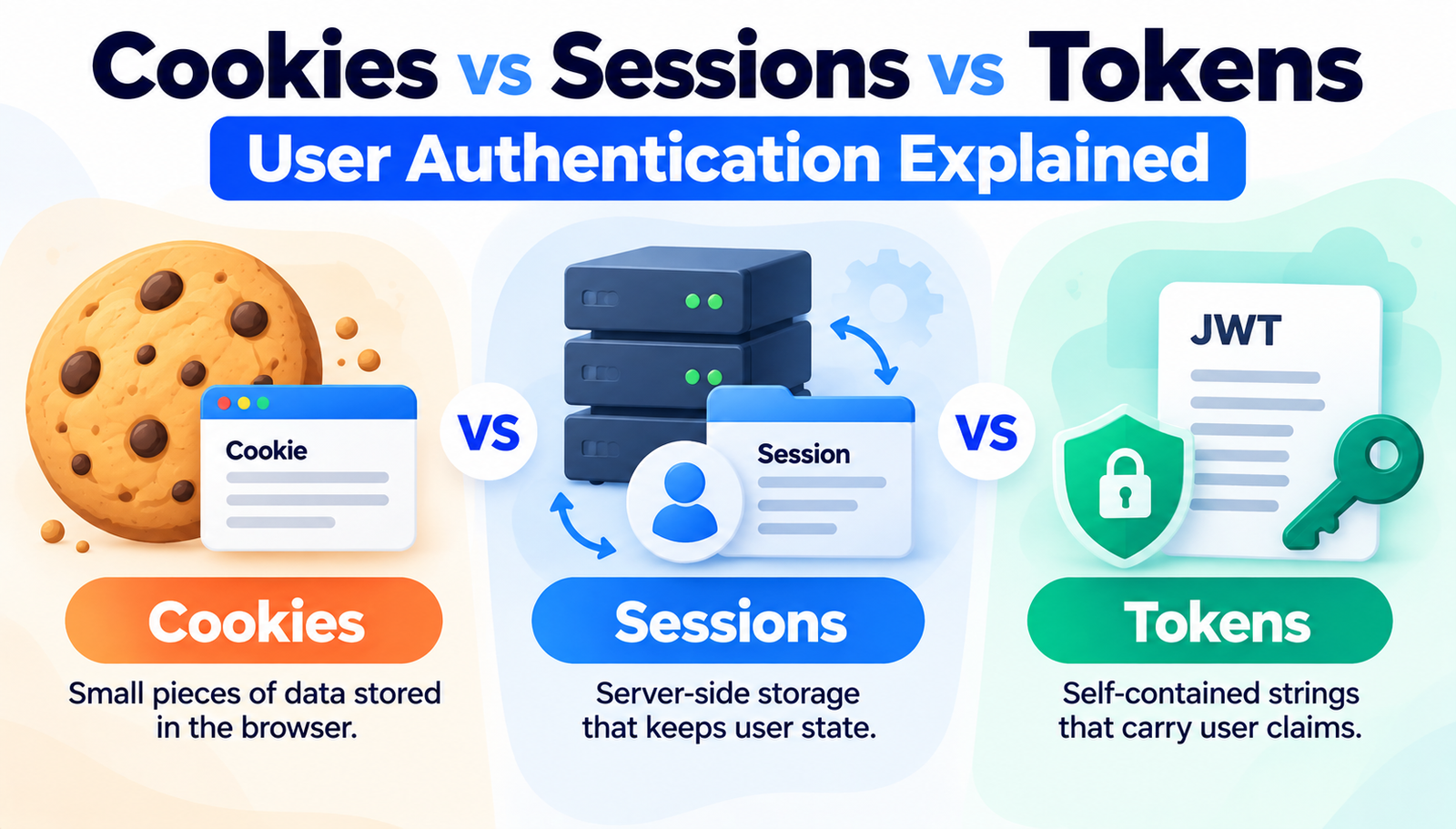
Cookies vs Sessions vs Tokens: User Authentication Explained
A deep dive into cookies, sessions, and tokens reveals which authentication method fits your web app best.
Emma, a solo developer in Austin, just launched her first e‑commerce site. Within hours, a friend reported that their login stayed active even after closing the browser, while another user was logged out unexpectedly after a short break. Emma realized she needed to understand how her site was handling authentication. For beginners who have just heard the terms "cookies," "sessions," and "tokens," the confusion can feel overwhelming. This article starts with a real‑world problem and walks through everything needed to choose, configure, and maintain the right authentication strategy for any web application.
Understanding User Authentication
User authentication is the process that verifies a person's identity before granting access to protected resources. In plain language, it is the gatekeeper that checks whether someone is who they claim to be, typically by comparing submitted credentials to stored data.
- Cookie
- A small piece of data the server asks the browser to store and send back with each request.
- Session
- A server-side storage area that keeps user state, identified by a session ID.
- Token
- A self-contained string, often JWT, that carries authentication claims and can be verified without server-side storage.
- Stateless
- An approach where each request contains all the information needed, and the server does not keep track of prior interactions.
- CSRF
- Cross-Site Request Forgery, an attack that tricks a logged-in user into performing unwanted actions.
- XSS
- Cross-Site Scripting, a vulnerability that lets attackers inject malicious scripts into a page.
Why User Authentication: Cookies vs Sessions vs Tokens Matters
Consider a SaaS platform serving 12,000 daily active users. When the company switched from a pure cookie‑based session to JWT tokens, they reduced server memory usage by roughly 30 %. The stateless nature of tokens meant each request could be validated without looking up a session store, freeing up resources for core business logic. The bottom line: the choice directly impacts performance, scalability, and cost.
On the other side, a banking application handling high‑value transactions cannot afford the risk of token replay attacks. By keeping authentication state on the server via sessions, the bank can instantly invalidate a compromised session, something that is more complex with self‑contained tokens. In this case, the benefit is tighter control over session termination and real‑time revocation.
For a small start-up that expects rapid growth, tokens enable seamless integration with mobile apps, third‑party APIs, and microservices. The same start-up can avoid the overhead of synchronizing session stores across containers. Real‑world impact: a 2023 case study showed a 45 % reduction in authentication‑related latency after moving to JWT‑based authentication for their React Native client.
Major User Authentication Developments
1. Cookie Basics
Cookies are the oldest method, dating back to Netscape in 1994. They store a session identifier or token on the client’s browser.
To use cookies, set the Set-Cookie header on login, include attributes like HttpOnly, Secure, and SameSite, then read the cookie on each request to retrieve the ID.
Beginner mistake: forgetting the Secure flag, which leaves the cookie exposed over HTTP.
- Plus Points:
- Widely supported across browsers.
- Simple to implement with most server frameworks.
2. Server‑Side Sessions
Sessions keep user data on the server, identified by a short ID stored in a cookie.
Implement by creating a session store (memory, Redis, or database), generating a unique session ID, and attaching it to the user’s cookie. On each request, the server looks up the session ID to retrieve user state.
Common error: storing too much data in the session, leading to memory bloat.
- Plus Points:
- Immediate revocation by deleting the session entry.
- Can store complex objects without exposing them to the client.
3. JWT Tokens
JSON Web Tokens are self‑contained strings with three parts: header, payload, and signature.
Create a JWT after successful login, sign it with a secret or private key, and return it to the client (often in an Authorization: Bearer header). The client includes the token on subsequent requests; the server verifies the signature and reads claims.
Typical rookie slip: using a weak signing algorithm like HS256 with a short secret.
- Plus Points:
- Stateless – no server storage needed.
- Works across domains and mobile platforms.
4. Refresh Tokens
Refresh tokens extend the lifespan of short‑lived access tokens without re‑authenticating.
Store a long‑lived refresh token securely (often in an HttpOnly cookie), then exchange it for a new access token via a dedicated endpoint. Ensure the refresh endpoint validates the token and rotates it on each use.
Newcomer pitfall: exposing the refresh token to JavaScript, making it vulnerable to XSS.
- Plus Points:
- Improves security by limiting exposure of access tokens.
- Allows seamless user experience without frequent logins.
5. SameSite Attribute
SameSite tells browsers when to send cookies, protecting against CSRF.
Set SameSite=Strict for highly sensitive cookies, or SameSite=Lax for most login sessions. Modern browsers default to Lax, but explicit declaration avoids ambiguity.
Mistake: assuming the attribute works the same across all browsers; older versions ignore it.
- Plus Points:
- Reduces CSRF risk without extra code.
- Simple configuration change.
6. Token Revocation Lists (TRL)
Because JWTs are stateless, revoking them requires a separate list of invalidated tokens.
Maintain a TRL in a fast store like Redis; on each request, check the token’s ID against the list before accepting it. Set an expiration on each entry matching the token’s remaining life.
Common slip: forgetting to purge expired entries, leading to memory leaks.
- Plus Points:
- Enables revocation without abandoning statelessness.
- Works with short‑lived access tokens.
7. Multi‑Factor Authentication (MFA) Integration
MFA adds an extra verification step, often via TOTP or SMS.
After primary authentication (cookie, session, or token), prompt for a second factor and store a temporary flag in the session or embed it in the JWT claim mfa_verified:true. Require this flag for privileged routes.
Beginner mistake: not expiring the MFA flag, allowing indefinite access after a single verification.
- Plus Points:
- Significantly raises security posture.
- Can be added without changing the core authentication flow.
Quick Reference
- Step 1: Cookie Basics
- What You Do: Set HttpOnly, Secure, and Same Site cookies with a session ID.
- Expected Result: The browser stores the identifier, and the server can retrieve the session.
- Step 2: Server-Side Sessions
- What You Do: Create a session store and map the ID to user data.
- Expected Result: Stateful authentication with instant revocation.
- Step 3: JWT Tokens
- What You Do: Generate a signed token containing user claims.
- Expected Result: Stateless verification on each request.
- Step 4: Refresh Tokens
- What You Do: Issue a long-lived token and rotate it on use.
- Expected Result: Seamless session extension without requiring re-login.
- Step 5: SameSite Attribute
- What You Do: Configure SameSite on authentication cookies.
- Expected Result: Reduced CSRF exposure.
- Step 6: Token Revocation Lists
- What You Do: Maintain a Redis list of revoked JWT IDs.
- Expected Result: Ability to invalidate tokens early.
- Step 7: MFA Integration
- What You Do: Add a second-factor check and store a verification flag.
- Expected Result: Higher assurance of user identity.
Frequently Asked Questions
1. What is the main security difference between cookies and tokens?
Cookies store a reference to server‑side data, so revocation is immediate; tokens embed data, requiring extra measures like short lifetimes or revocation lists to mitigate compromise.
2. Can I mix sessions and JWTs in the same application?
Yes, many apps use session cookies for web browsers and JWTs for API clients, keeping each flow optimized for its context.
3. How long should an access token live?
Typical lifetimes range from 5 minutes to 1 hour; shorter periods reduce risk, while refresh tokens handle longer user sessions.
4. Do Same Site cookies protect against XSS?
No, Same Site mitigates CSRF. XSS protection requires HttpOnly, Content‑Security‑Policy, and input sanitization.
5. Is storing JWTs in local Storage safe?
Storing JWTs in local Storage exposes them to XSS attacks; using HttpOnly cookies is generally safer for web browsers.
Final Thoughts
Choosing between cookies, sessions, and tokens hinges on the application’s scale, security requirements, and client landscape. Understanding each method’s strengths and pitfalls enables developers to build authentication that is both robust and user‑friendly. Armed with the steps above, implementation can move from theory to production with confidence.
Contact
Missing something?
Feel free to request missing tools or give some feedback using our contact form.
Contact Us